
Building a gaming computer from individual components can be rewarding, but it takes time, technical knowledge, and careful planniPre-Built Gaming PC: Powerful Buying Guide for 2026
Building a gaming computer from individual components can be rewarding, but it takes time, technical knowledge, and careful planning. You need to choose a compatible CPU, GPU, motherboard, RAM, storage, power supply, case, and cooling system.
A pre-built gaming PC removes much of that work.
These computers arrive already assembled and tested, allowing you to connect your monitor and gaming accessories and start playing. They are available in different configurations, from affordable systems for casual 1080p gaming to powerful machines designed for high-resolution gaming and demanding workloads.
But choosing the right pre-built gaming PC is not simply about picking the most expensive model.
The processor, graphics card, RAM, storage, cooling, power supply, upgrade options, and warranty all matter. This guide explains what to look for, what specifications mean, and how to choose a gaming PC that fits your needs and budget.
What Is a Pre-Built Gaming PC?
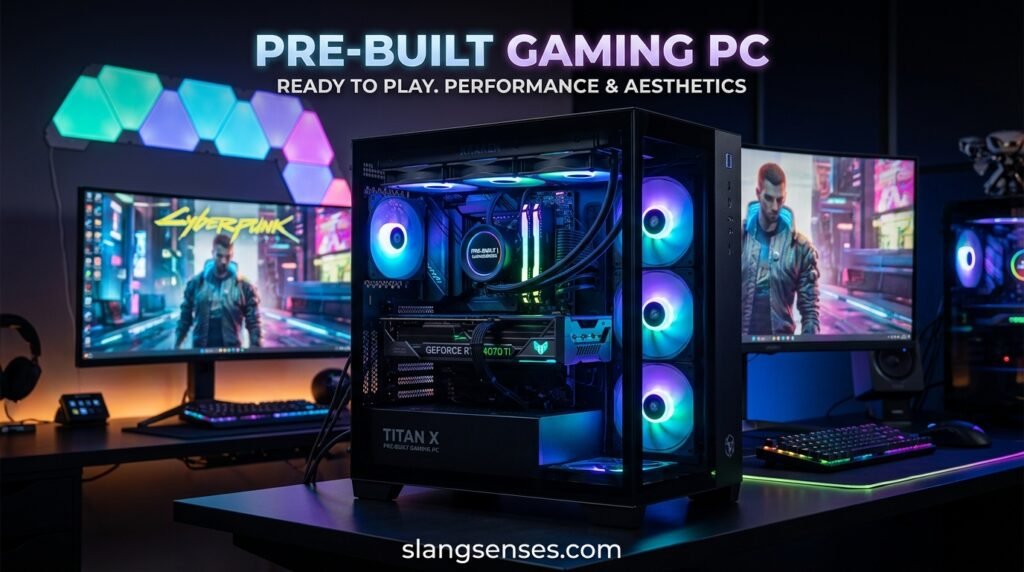
A pre-built gaming PC is a desktop computer assembled by a manufacturer or computer retailer before it is sold.
Instead of purchasing every component separately and putting the computer together yourself, you receive a complete system.
A typical prebuilt gaming PC may include:
- CPU or processor
- Dedicated graphics card
- Motherboard
- RAM
- SSD storage
- Power supply
- PC case
- CPU cooler
- Case fans
- Operating system, depending on the configuration
The exact hardware varies by manufacturer and price.
Entry-level systems are generally designed for 1080p gaming, while more powerful gaming computers can target higher resolutions and demanding games.
The major advantage is simple: you get a ready-to-use gaming computer without building it yourself.
Why Buy a Pre-Built Gaming PC?
The biggest reason people choose a pre-built PC is convenience.
Building a computer requires research. You need to understand compatibility between components, install the hardware correctly, connect cables, install the operating system, update drivers, and troubleshoot problems if something does not work.
A pre-built gaming computer handles much of this process before the PC reaches you.
Easy Setup
Most of the hardware is already installed.
After receiving the computer, you generally need to connect your monitor, keyboard, mouse, network connection, and power cable.
Less Technical Knowledge Required
You do not need to know how to install a CPU or apply thermal paste.
This makes a pre-built gaming PC particularly attractive to first-time PC gamers.
Time Saving
Building a custom PC can take several hours, especially if you are doing it for the first time.
A pre-built system lets you spend that time playing games instead.
System Warranty
Depending on the manufacturer, the entire computer may be covered by a system warranty.
This can make support easier because you have one company to contact if something goes wrong.
Pre-Built vs. Custom-Built Gaming PC
Both options have advantages. The right choice depends on how much customization and hands-on work you want.
| Feature | Pre-Built Gaming PC | Custom-Built Gaming PC |
|---|---|---|
| Assembly | Already assembled | DIY |
| Setup | Easy | Requires more work |
| Customization | Moderate | Very high |
| Compatibility | Usually handled by seller | Buyer must check |
| Technical knowledge | Low | Moderate to high |
| Warranty | Often system-based | Usually component-based |
| Upgradeability | Depends on system | Usually flexible |
| Convenience | High | Lower |
| Best For | Beginners and busy gamers | PC enthusiasts |
A custom gaming PC gives you more control over every component. You can select the exact motherboard, case, cooler, power supply, and storage you want.
A pre-built PC, however, provides convenience and saves you from the assembly process.
Pre-Built Gaming PC Specs Comparison
Before buying a gaming computer, it helps to understand what different hardware levels generally look like.
| Specification | Entry-Level | Mid-Range | High-End |
|---|---|---|---|
| CPU | Ryzen 5 / Core i5 | Ryzen 5/7 / Core i5/i7 | Ryzen 7/9 / Core i7/i9 |
| GPU | Entry-level gaming GPU | Mid-range gaming GPU | High-performance gaming GPU |
| RAM | 16GB | 16–32GB | 32GB+ |
| Storage | 512GB SSD | 1TB SSD | 1TB–2TB+ SSD |
| Gaming Resolution | 1080p | 1080p–1440p | 1440p–4K |
| Best For | Casual gaming | Most gamers | Enthusiasts |
| Upgrade Potential | Basic | Good | Depends on system |
These categories are general guidelines rather than strict rules. Actual performance depends on the exact components, game, settings, resolution, drivers, and other system factors.
What Specs Should You Look for in a Pre-Built Gaming PC?
A gaming PC may look impressive because of its RGB lighting or large case, but those features do not determine gaming performance.
Pay attention to the hardware inside.
Graphics Card (GPU)
The graphics processing unit, or GPU, is one of the most important components in a gaming PC.
It handles much of the visual rendering required by games. A stronger graphics card can generally deliver better performance at higher resolutions and graphics settings.
When shopping for a pre-built gaming PC, look for the exact GPU model.
Avoid relying on descriptions such as:
- High-performance graphics
- Gaming graphics
- Dedicated graphics
- Extreme GPU performance
Those phrases do not tell you enough.
Your target resolution also matters.
A PC intended for 1080p gaming does not necessarily need the same graphics hardware as a computer designed for 1440p or 4K gaming.
Processor (CPU)
The CPU handles game logic, calculations, background tasks, and many other operations.
Modern gaming PCs commonly use processors from AMD or Intel.
For gaming, you generally want a CPU that is strong enough to keep up with the graphics card. A very powerful processor paired with a much weaker GPU may not be an efficient use of your budget if gaming is the primary goal.
A stronger CPU can become particularly useful when you:
- Play CPU-intensive games
- Stream gameplay
- Edit videos
- Run several applications simultaneously
- Target very high frame rates
The ideal CPU depends on your complete workload rather than gaming alone.
RAM
- RAM provides temporary working memory for games and applications.
- For many modern gaming PCs, 16GB of RAM is a practical starting point.
- A system with 32GB may be more appropriate for users who regularly stream, edit videos, create content, run virtual machines, or perform other memory-intensive tasks.
- More RAM does not automatically produce dramatically higher gaming performance.
- The exact memory configuration, speed, CPU, motherboard, and game all influence the final result.
- Before buying, also check whether the computer allows you to upgrade the RAM later.
SSD Storage
- Modern games can occupy a lot of storage space.
- That makes SSD capacity an important part of your buying decision.
- An SSD can provide faster data access than a traditional mechanical hard drive, which can improve boot and loading times.
- Many modern pre-built gaming PCs use NVMe SSDs.
- A 1TB SSD can be a useful starting point for gamers who want space for Windows, applications, and several games.
- If you maintain a large game library, you may eventually need additional storage.
Motherboard
The motherboard connects the major components of your computer.
It also affects future upgrade options.
When buying a pre-built gaming PC, check whether the motherboard provides:
- Additional RAM slots
- M.2 storage slots
- Suitable expansion slots
- Appropriate USB connections
- Compatible CPU support
- Features you may need in the future
Some inexpensive pre-built systems use basic or proprietary components that can make future upgrades more complicated.
Power Supply
The power supply unit, or PSU, provides electricity to the computer’s components.
It is easy to overlook because it does not directly increase frame rates, but it is an important part of the system.
Check the PSU’s:
- Wattage
- Efficiency rating
- Manufacturer
- Connectors
- Compatibility with the GPU
A powerful graphics card requires an appropriate power supply.
Do not choose a gaming PC solely because it has a high-end GPU. Make sure the PSU is suitable for the entire configuration.
Cooling and Airflow
- Gaming hardware generates heat when operating under heavy loads.
- Good cooling helps the computer manage that heat.
- Look at the case design, number of fans, CPU cooler, ventilation, and overall airflow.
- A powerful gaming PC packed into a poorly ventilated case may have higher temperatures and louder fans.
- Good airflow can also contribute to a more comfortable gaming experience.
How Much Does a Pre-Built Gaming PC Cost?
The price of a pre-built gaming PC varies significantly.
Several factors affect the cost, including:
- CPU
- GPU
- RAM
- SSD capacity
- Motherboard
- Cooling
- Case
- Power supply
- Brand
- Warranty
- Market and region
Instead of deciding your budget based only on the advertised price, compare the actual hardware.
For example, two gaming PCs may have the same amount of RAM and storage but use very different graphics cards.
Since the GPU can have a major effect on gaming performance, those computers may provide very different gaming experiences.
Always compare the complete specification sheet.
Best Pre-Built Gaming PC for 1080p Gaming
- 1080p remains a common resolution for gaming.
- If you mainly play esports titles, older games, indie games, or moderately demanding titles, you may not need an expensive high-end computer.
- A suitable 1080p gaming PC should have a capable modern CPU, a dedicated graphics card, sufficient RAM, and an SSD.
- The exact GPU you need depends on the games and settings you plan to use.
- If your monitor has a high refresh rate, consider a configuration capable of producing the frame rates you want in your preferred games.
Best Pre-Built Gaming PC for 1440p Gaming
- 1440p requires more graphics performance than 1080p.
- If you want to play modern games at higher settings while using a 1440p monitor, pay particular attention to the GPU.
- A balanced CPU/GPU combination is important.
- You should also consider sufficient RAM, fast storage, good cooling, and an adequate power supply.
- A mid-range or higher-tier gaming PC may be appropriate depending on your games and desired settings.
Best Pre-Built Gaming PC for 4K Gaming
- 4K gaming places substantially greater demands on graphics hardware.
- If 4K is your target resolution, the GPU becomes particularly important.
- A high-end graphics card may be necessary for demanding games, especially when using high graphics settings or advanced rendering features.
- A 4K gaming PC should also have strong cooling and a suitable power supply.
- Remember that your monitor matters too. A powerful computer paired with a basic display may not allow you to take full advantage of the system’s capabilities.
Pre-Built Gaming PC for Streaming
If you plan to stream gameplay, your computer has more work to do than simply running the game.
You may be gaming, encoding video, recording footage, running a browser, communicating with viewers, and using streaming software at the same time.
For this type of setup, consider:
- A capable multi-core CPU
- A strong GPU
- 16GB or more RAM
- Fast SSD storage
- Reliable network connectivity
- Good cooling
Your streaming software and encoding method can also affect the hardware requirements.
Benefits of a Pre-Built Gaming PC
A ready-made gaming PC offers several practical advantages.
- Easy setup: The major components are already installed.
- Time savings: You avoid the PC-building process.
- Convenience: You receive a complete working system.
- Compatibility: Components are selected and assembled by the manufacturer.
- Support: The manufacturer or retailer may provide technical assistance.
- Warranty: System-level warranty coverage may simplify support.
- Professional assembly: Cable management and hardware installation are generally completed before delivery.
For beginners, these benefits can make a pre-built gaming computer an appealing option.
Disadvantages of a Pre-Built Gaming PC
Pre-built computers are not perfect.
One potential disadvantage is cost. You may pay extra for assembly, support, warranty services, branding, and convenience.
Another concern is component transparency.
Some sellers clearly identify the CPU and GPU but provide limited information about the motherboard, PSU, RAM configuration, or cooling system.
Upgradeability can also vary.
Some compact gaming PCs use proprietary components, making upgrades more difficult than on a standard desktop.
That is why you should investigate the entire configuration before purchasing.
How to Choose the Right Pre-Built Gaming PC
Choosing the right gaming PC starts with understanding how you plan to use it.
Consider Your Games
Make a list of the games you actually play.
Different games can place different demands on the CPU and GPU.
Consider Your Monitor
Know whether you are gaming at:
- 1080p
- 1440p
- 4K
Also check the monitor’s refresh rate.
Set a Realistic Budget
Decide how much you can spend before comparing systems.
Then focus on performance-related components rather than cosmetic features.
Check the Exact GPU
The GPU is particularly important for gaming.
Do not purchase a computer simply because the listing says “gaming graphics.”
Check RAM and Storage
Make sure the system has enough RAM and storage for your current needs.
Also check whether additional RAM or storage can be installed later.
Check the PSU
Make sure the power supply is appropriate for the installed hardware.
Check Cooling
Look for a case with reasonable airflow and appropriate cooling hardware.
Check Warranty
Read the warranty terms before purchasing.
Find out how long coverage lasts and how repairs or returns are handled.
Common Pre-Built Gaming PC Buying Mistakes
Buying Based on RGB Lighting
RGB lighting can make a gaming computer look attractive, but it does not improve gaming performance.
Focus on the hardware first.
Looking Only at RAM
A PC with 32GB RAM is not automatically better for gaming than a system with 16GB.
The CPU and GPU are also extremely important.
Ignoring the Power Supply
A gaming PC needs an appropriate PSU for its hardware.
Never overlook this component.
Choosing Storage Over Performance
A huge SSD is useful, but additional storage cannot compensate for a weak graphics card when gaming performance is your priority.
Ignoring Upgrade Options
If you plan to upgrade later, check the motherboard, case, PSU, RAM slots, and storage slots before purchasing.
Trusting Marketing Names
Words such as “Ultimate,” “Extreme,” and “Pro Gaming” do not tell you how powerful the actual hardware is.
Always check the specifications.
Is a Pre-Built Gaming PC Worth It?
A pre-built gaming PC can be a practical choice if you want a ready-to-use computer without dealing with component selection and assembly.
Its value depends on the exact configuration and price.
Before buying, compare the CPU, GPU, RAM, SSD, motherboard, power supply, cooling, warranty, and upgrade options.
For beginners, the convenience of a pre-built PC can be especially useful. Experienced PC builders may prefer a custom system because it provides greater control over individual components.
The important thing is to compare complete configurations rather than judging a computer by its appearance or marketing name.
Frequently Asked Questions
Are pre-built gaming PCs good for gaming?
Is it cheaper to build or buy a gaming PC?
How much RAM does a gaming PC need?
Can I upgrade a pre-built gaming PC?
Is a pre-built gaming PC good for beginners?
Should I buy a gaming PC with an SSD?
What is the most important part of a gaming PC?
Conclusion
A pre-built gaming PC offers a convenient way to enter PC gaming without spending hours selecting and installing individual components. It can be especially useful for beginners, busy gamers, and anyone who wants a ready-to-use system.
However, choosing a good pre-built gaming computer requires more than looking at the case or RGB lighting.
Pay close attention to the GPU, CPU, RAM, SSD, motherboard, power supply, cooling, warranty, and upgradeability. Consider your games, monitor resolution, desired frame rate, budget, and future needs before making a purchase.

Rathna Kannan is a language enthusiast and writer at Slang Senses, sharing simple explanations of modern slang, internet expressions, and trending phrases. Rathna enjoys exploring how language evolves through social media and everyday conversations.